InShot Pro Mod APK: Features, Safety & Safe Download
Everything about InShot Pro in one place: what it offers, whether a mod file is worth the risk, and how to get the full editor the safe way.
Download InShot Pro
◆ Keyframes✨ AI Cut-out⚡ Speed Curve
New projectSave
00:12 / 00:309:16
TIMELINE
TOOLS
Trim
Music
Text
Speed
Canvas
Effects
Why Creators Pick InShot
What makes the editor fast to learn and flexible enough to grow with you.
Creative tools14+
The Pro tools creators actually use, all in one phone editor.
KeyframesSpeed CurveCut-outMasksCaptionsVoiceChroma KeyTemplates
Export qualityUp to 4K
Resolution and frame rate that fit the platform.
Any canvas9:16 · 1:1 · 16:9
One clip, every platform shape.
Beat syncIn rhythm
Hits land on the music.
Price to startFree
Try the core tools free before deciding.
Three Steps to a Finished Video
1
Import
Pick your clips and photos, then trim each one.
2
Style
Choose a canvas, add music and text, keep one consistent look.
3
Export
Save at 1080p for most posts, then share it.
- What is InShot Pro Mod APK?
- About InShot
- InShot Pro APK Information
- InShot Pro Features
- Try It Yourself: Interactive Tools
- InShot Free vs Official Pro vs Mod APK
- Is InShot Pro Mod APK Safe?
- How to Get InShot Pro Safely
- How to Use InShot: Step-by-Step Guide
- Best Video Settings for Each Platform
- Made for Reels, Shorts & TikTok
- Practical Editing Tips for Better Videos
- Who Should Use InShot?
- Pros and Cons of InShot
- Best InShot Alternatives
- InShot Pro Mod APK FAQ
- Rate This Page
What is InShot Pro Mod APK?
InShot Pro Mod APK is the name people use for a modified, unofficial copy of the InShot video editor for Android. Sites that share it promise unlocked paid packs, no ads and no watermark. The file is re-packaged by a third party.
InShot itself is a very popular mobile editor for short videos and social media clips, made by InShot Inc. for Android and iPhone. Most people searching for the mod simply want the Pro features without paying for them. This guide explains what those features are, what the real risks of a mod file are, and how to get the same result in a safe way.
The short version: the app is good, the mod file is not worth the risk, and the official Pro upgrade is the safe way to unlock every tool.
About InShot
InShot is a mobile video and photo editor developed by InShot Inc. Its idea is simple: most people shoot and publish from the same device, so the editor lives there too — one workspace with the preview on top, a timeline underneath and a toolbar of large icons.
The app covers three jobs: the video editor trims, merges and layers clips with music, text and stickers; the photo editor makes collages and adjusts pictures; and the canvas tool resizes any clip for the platform you are posting to — built for publishing to several networks at once. It has passed hundreds of millions of installs, a good sign the core experience works for a wide range of people.
InShot Pro APK Information
The key facts about the official InShot Pro APK — latest version, developer and requirements — checked against the store listing.
| App name | Video Editor & Maker - InShot (InShot Pro APK) |
|---|---|
| Latest version | v2.243.1555 |
| Updated | 22 October 2026 |
| Developer | InShot Inc. |
| Size | Varies by device |
| Requires | Android 7.0 and up · also available on iOS |
| Rating | About 4.8 on Google Play (the official app's store rating) |
| Price | Free · Pro upgrade from $4.99/month |
For a safe InShot Pro APK download, always use the official store — never a mod file from a download site.
InShot Pro Features
Every edit starts with the basics — trimming, splitting, merging, music, text, stickers, speed changes — all free, and enough for simple projects. The eight tools below are what make an edit look advanced, so they are what people usually mean by Pro.
Keyframe Animation
Set a start and end point for a clip, sticker or text, and the app animates the movement in between — a slow push-in or a sliding logo. You control every marker, so the motion looks planned.
Chroma Key
Removes one solid colour, usually green, from an overlay clip so another scene shows through. Film against a green wall, place the clip over a beach or studio backdrop, and pick the colour to remove.
Beat-Synced Effects
Effects flash, shake or zoom in time with the music, and beat markers show exactly where each hit lands. Cuts and text pops on the downbeat make short videos feel polished, with no frame-by-frame rhythm tapping.
HSL Colour Control
Adjust hue, saturation and luminance: deepen a sky without touching skin tones, calm an over-bright jacket, push the greens in a travel clip. More precise than one filter.
50+ Transitions
More than fifty styles — wipe, zoom, glitch, fade, slide — join two clips. Pick one or two styles and use them consistently; a good transition hides a jump in time or place.
Voice Effects
Record a voiceover and change how it sounds: higher for a playful character, lower for a dramatic narrator, or an effect for a comedy sketch. Handy if you dislike your natural voice.
Auto Captions
Speech in your clip becomes timed text you can restyle and correct. Captions keep sound-off viewers watching — most people scroll with the sound off. Always proofread names and slang.
Gradient and Blur Canvas
Vertical footage in a wide frame leaves empty bars. The canvas fills them with a blurred copy of your clip, a solid colour or a gradient, so the video looks designed for every platform — a key reason creators pick InShot.
What the Pro upgrade adds
The paid upgrade removes the free version's main limits. Details change between releases — confirm in the app — but it generally covers:
- Watermark-free export
- No advertising inside the app
- Access to the full library of effects, filters, transitions and stickers
- Extra fonts and creative packs
Try It Yourself: Interactive Tools
Reading about editing only goes so far. Try three small tools right now: explore six popular editing tools, drag the slider to see colour grading, and use the export helper for the right shape and size for each platform.
Tool explorer
Keyframes
Animate position, size and rotation between two points. Start with a slow push-in, then add a second keyframe where the move should end.
Speed Curve
Drag points on a curve to mix slow motion and fast motion inside a single clip. Place the fast part just before the beat for a snappy look.
Cut-out
Separate a person from the scene and place them over a new background. Good light and a plain backdrop give cleaner edges.
Voice
Turn typed text into narration, then match caption timing to the voice. Handy for tutorials and faceless videos.
Mask
Reveal a clip through a shape and animate the shape for transitions, split screens and before and after reveals.
Clean Audio
Reduce steady background noise so speech stays clear. Start with a light setting and listen on headphones.
Before and after: colour grading
Drag the handle: black-and-white on one side, the same clip in full colour after grading on the other. Small, consistent adjustments like these make footage from different clips look like one video.
 AfterBefore
Smart export helper
Pick where the video will be posted and get a sensible starting point. Platforms change their rules, so check the platform help page if something looks cropped.
Aspect ratio
Resolution
Frame rate
InShot Free vs Official Pro vs Mod APK
| Feature | Free (official) | Pro (official) | Mod APK (unofficial) |
|---|---|---|---|
| Source | Official app store | Official app store | Random websites |
| Core editing tools | Yes | Yes | Claimed |
| Watermark-free export | Limited options | Yes | Claimed |
| All packs and effects | Partly locked | Yes | Claimed |
| Security updates | Automatic | Automatic | None |
| Malware risk | Low (store scanned) | Low (store scanned) | High / unknown |
| Legal | Yes | Yes | Violates terms |
Read the table from the bottom up: updates, malware and legality are the rows where the mod file loses — and they matter most.
Is InShot Pro Mod APK Safe?
Our honest answer: no.
Nobody can verify what a modified APK contains, and you are trusting an anonymous uploader with your phone and accounts.
An official-store package is signed by the developer and checked. A download-site file has no verifiable signature and nobody responsible for it — a mod changes the original code, so it is re-signed by a stranger. That alone is why security guides say to avoid them.
The risks security researchers repeatedly point out for modded apps:
- Malware and spyware: re-packaged apps can include extra code that reads files, shows hidden ads or sends data to a third party.
- Account and data theft: it can request permissions a video editor never needs, such as messages or accessibility control.
- No updates: no security patches, bug fixes or new features, and it can break after a phone update.
- Security warnings: installing it often means switching off your phone's built-in protection, exposing every other app too.
- Legal and ethical issues: bypassing a paid subscription breaks the developer's terms and undercuts the people who build the app.
- Lost projects: modded builds can crash, corrupt projects, and the developer cannot support you.
How to Get InShot Pro Safely
You can reach the same goal, a clean and watermark-free video, without touching a risky file.
- Open the official store. Use the buttons on our download page — they go straight to the official listings.
- Install and try the free tools. Cut, merge, add music and text to see if InShot suits your workflow.
- Open the export screen. Check your version's watermark options.
- Upgrade only if you need it, from the in-app purchase screen.
- Keep the app updated. Updates add new effects and fix bugs.
Tip:
Compare plans before buying. Subscription and one-time options may be offered, and prices differ by country. If you only edit a few videos a year, a short plan may cost less than a long one.
How to Use InShot: Step-by-Step Guide
Never opened the app? This walk-through takes you from a pile of clips to a finished video.
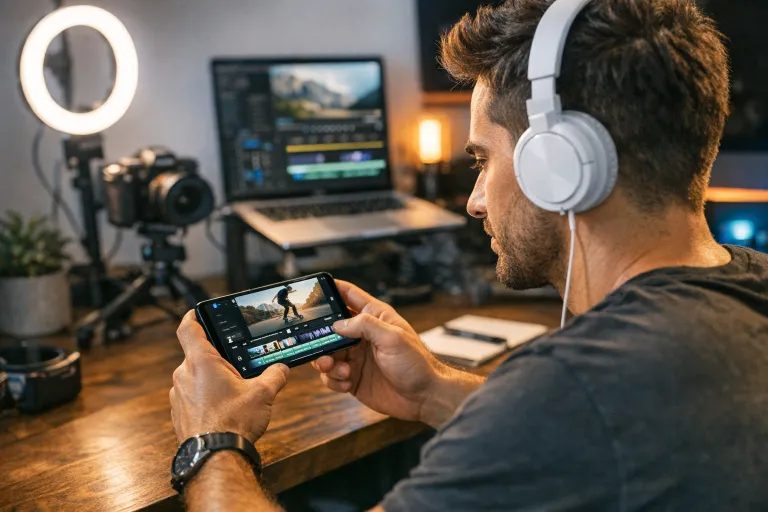
- Start a project. Open InShot, tap Video and choose your clips — pick several at once to place them in order.
- Trim and arrange. Tap a clip, drag the handles to trim the ends, and use Split to remove a middle section. Drag clips to reorder them.
- Set the canvas. Tap Canvas and pick the aspect ratio for your platform. Fill empty space with a blurred, coloured or gradient background.
- Add sound. Tap Music to add a track or record a voiceover. Lower the clip volume if the music should lead, and use fades so the audio never starts or stops abruptly.
- Add text and stickers. Place captions, titles or stickers, and drag their ends on the timeline so each appears only when needed.
- Style the footage. Apply a filter, adjust brightness and contrast, and add transitions — keeping one consistent look from first clip to last.
- Adjust speed. Slow the moment you want to emphasise, speed up the boring parts. Short changes feel more natural than long ones.
- Preview and export. Play the whole video once, then tap Save and choose the resolution and frame rate. Wait for the export to finish before leaving the app.
Best Video Settings for Each Platform
Posting the wrong shape makes a video look amateur — the platform crops it or adds black bars. Choose the canvas before you start, and keep text and faces inside the safe area, clear of buttons and captions.
| Platform | Aspect ratio | Common export size | Tip |
|---|---|---|---|
| YouTube video | 16:9 | 1920 x 1080 or higher | Add a clear opening and keep the sound level steady |
| YouTube Shorts | 9:16 | 1080 x 1920 | Keep titles away from the bottom edge |
| Instagram Reels | 9:16 | 1080 x 1920 | Leave room at the sides and bottom for interface buttons |
| TikTok | 9:16 | 1080 x 1920 | Put the hook in the first seconds |
| Instagram feed | 4:5 or 1:1 | 1080 x 1350 or 1080 x 1080 | 4:5 takes more screen space than square |
| WhatsApp status | 9:16 | 1080 x 1920 | Keep clips short so they upload quickly |
Platforms change their recommendations from time to time, so treat these as starting points and check the platform's help page if a video looks cropped.
Made for Reels, Shorts & TikTok
Most InShot edits end up as vertical short videos. Set the canvas to 9:16 before you start, keep faces and text inside the safe margins, and put the strongest moment first — each platform gives you about two seconds to earn the next ten. Auto captions, beat-synced effects and trending templates are built for exactly this format, and the export helper above gives the right size for each app.
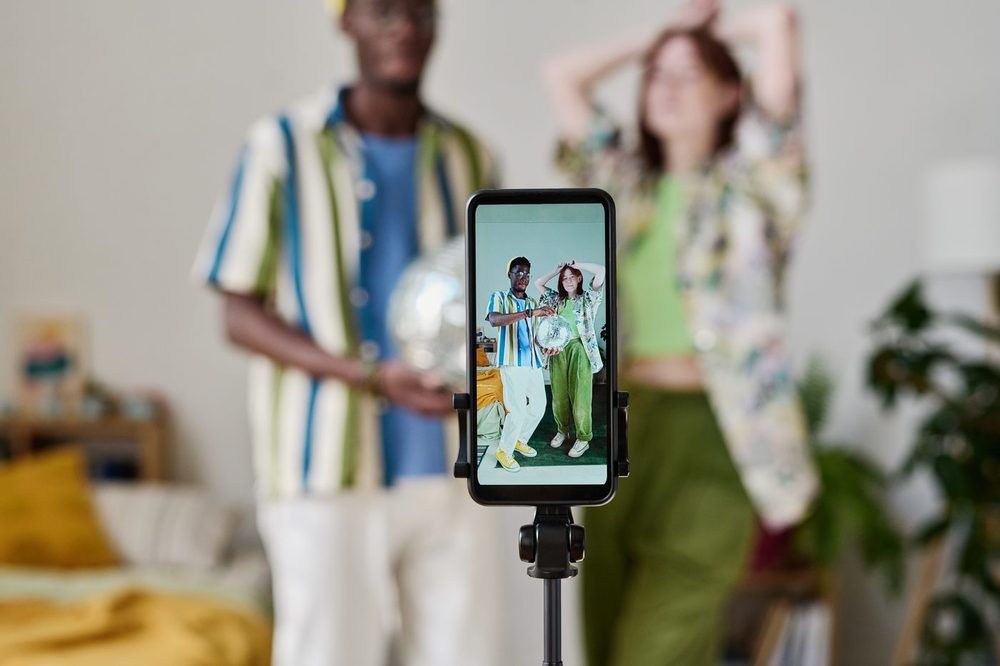
Creators who post the same clip everywhere use the canvas tool to reframe once and export per platform instead of editing three videos.
Practical Editing Tips for Better Videos
Tools only help if the edit is clear. These habits matter more than any single effect.
- Open with the best moment. Viewers decide within a couple of seconds whether to keep watching, so start with the most interesting shot and explain later.
- Cut on movement. Switch clips while something is moving, such as a turn of the head or a step, and the cut will feel smooth without a transition.
- Keep shots short. A clip that shows nothing new after two or three seconds should be trimmed or replaced.
- Balance the audio. Speech should always be clear — if music competes with the voice, lower the music, not the voice.
- Use captions. Many people watch with the sound off. Use a large font with strong contrast so captions keep them watching.
- Pick one visual style. Choose one filter, one font and one or two transitions and use them all the way through. Consistency looks professional.
Who Should Use InShot?
InShot suits people who want quick, good-looking results without learning professional software.
- Social media creators who post one clip to several platforms in different shapes.
- Small business owners who make product videos, announcements and promotions.
- Students and teachers who put together project videos, presentations and slideshows.
- Travellers and families who want to turn holiday clips and photos into a shareable memory.
- Beginners who want to learn the basics of editing before moving to a desktop program.
For multi-camera editing, advanced audio mixing or professional colour grading, use a desktop editor. InShot is at its best for fast, polished social video.
Pros and Cons of InShot
Pros
- Simple interface, easy for beginners
- Fast tools for social media formats
- Large library of effects and music
- Available on Android and iPhone
- Frequent updates
Cons
- Several features need Pro
- Free version includes ads
- Mobile only, no official desktop app
- Limited advanced colour tools compared with desktop software
On balance, the strengths come from speed and simplicity, while the weaknesses mainly affect people who need professional-grade control.
Best InShot Alternatives
If you want to compare before paying, these editors all have free versions:
| App | Best for | Platforms |
|---|---|---|
| CapCut | Templates and trending effects | Android, iOS, desktop |
| VN Video Editor | Free multi-track editing | Android, iOS, desktop |
| YouCut | Simple trimming and compressing | Android, iOS |
| KineMaster | Layered, advanced edits | Android, iOS |
The best choice depends on how you work: CapCut for ready-made templates, VN for a free layered timeline, YouCut for quick light cuts, KineMaster for more layers. Try each free version on one short project and keep the fastest.
Ready to start editing?
Open the download page and choose the official Android or iPhone version.
Go to Download PageInShot Pro Mod APK FAQ
What is InShot Pro Mod APK?
An unofficial, modified copy of the InShot Android app that third-party sites claim has Pro features unlocked. It is not published by InShot Inc. or available in official stores.
Is InShot Pro Mod APK safe to install?
We cannot call it safe. A modified APK is re-packaged by an unknown person, so it can hide malware or data-stealing code, and it never receives official updates. The official app is the safe route.
Is InShot Pro Mod APK legal?
Bypassing a paid subscription this way violates the developer's terms and copyright law in most countries. We do not host modified files.
Can I remove the InShot watermark without a mod?
Yes — upgrade to Pro, or sometimes watch a short ad on the export screen. Check your version for the current options.
Is InShot free to download?
Yes — free on Android and iOS, with in-app purchases for Pro. Prices differ by country, so check the listing before you buy.
Which InShot features are best for short videos?
Keyframe animation, beat-synced effects, auto captions and the blur canvas — the tools that make clips look planned and fit vertical formats.
What video quality should I export from InShot?
For most social posts, 1080p at 30 fps balances quality and file size. Go higher only if your original footage was recorded at that quality.
Why does my InShot export fail or freeze?
Usually low storage, low memory or an overheated phone. Free up space, close other apps, update the app, and try exporting at a lower resolution.
Will a mod APK get my accounts hacked?
It can. A mod can request permissions it does not need and send data elsewhere. If you installed one, uninstall it, run a security scan, and change important passwords, starting with email and banking.
What is the difference between InShot Free and InShot Pro?
Free covers trimming, text, music, filters and basic export, with ads and some locked packs. Pro removes ads and the watermark and unlocks all packs and tools.
Is InShot Pro a one-time payment or a subscription?
It depends on your country and store: monthly, yearly and lifetime plans have all been offered. Open the upgrade screen in the official app to see your current plans and prices.
Is InShot available for iPhone?
Yes, on both Android and iPhone. Install it from Google Play or the App Store, and avoid third-party download sites.
Can I add my own music to InShot?
Yes — from the built-in library, files on your phone, or audio extracted from a video. Use music you have the right to use; platforms can mute or claim protected songs.
Why does my exported video look blurry?
Usually a low export resolution, a compressed source clip, or zooming in too far. Export at 1080p or higher, start from the best original, and avoid re-uploading clips already compressed by chat apps.
Can I get InShot Pro legally without paying full price?
Sometimes: a free trial, a seasonal discount, or watching an ad to export once without a watermark. Offers change, so check the official app. Mod files are not a legal or safe alternative.